Geocoding Addresses
Problem: A business in Raleigh is planning a campaign to expand its customer base by reaching out to potential customers in areas that are currently under-represented in using their services. They would like to see where their current customers are located so they can identify the under-represented areas to target for advertising.
Analysis Procedures: The company has provided a spreadsheet (Excel format) containing the addresses of customers who recently used their services, I geocoded this information using ArcGIS (ArcMap and ArcCatalog version 10.5.1) to visualize the locations where their customers live. I used the Wake County boundaries, ZIP Code boundaries and streets data (available from Wake County GIS Map Services) in the geocoding process. I began by examining the address data to determine the format or style that is appropriate to use for the geocoding. I performed the geocoding at two levels: a general geocoding to the level of the customer’s ZIP Code, and a more specific geocoding to the level of the customer’s street address. To geocode to the ZIP Code level I generated an address locator using the US Address-Zip 5-digit style using ArcCatalog. I used the ZIP Code layer as the reference data and ran the geocoding of the customer addresses as a batch process. After reviewing the results of the automatic geocoding I manually re-matched the unmatched addresses. To geocode to the street address level I generated an address locator using the US Address-Dual Ranges style using ArcCatalog. I used the streets layer as the reference data. I ran the geocoding of the customer addresses as a batch process. I needed to concatenate the street number and street name fields in the table of customer addresses. I reviewed the results of the automatic geocoding and manually re-matched the unmatched addresses. I created a map layout for of each of the geocoded address results (zip code and street address) for the business (Fig. 1).
Workflow Diagram:
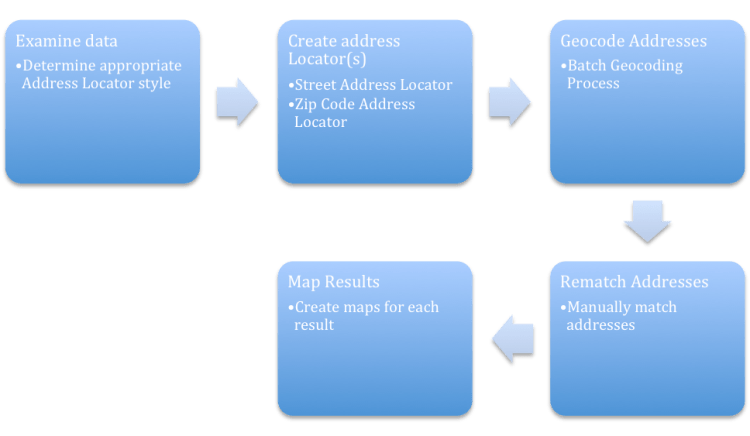
Fig. 1. Workflow diagram for solving geocoding problem.
Results: The geocoding processes were able to match written addresses or ZIP Codes to the geographic location they represent. Geocoding to ZIP Code will show which ZIP Code boundaries are represented in the data, while the process of geocoding to street address returns a more specific location (Fig. 2). Geocoding to the most specific location gives a better representation of the location and density of addresses represented by the data.

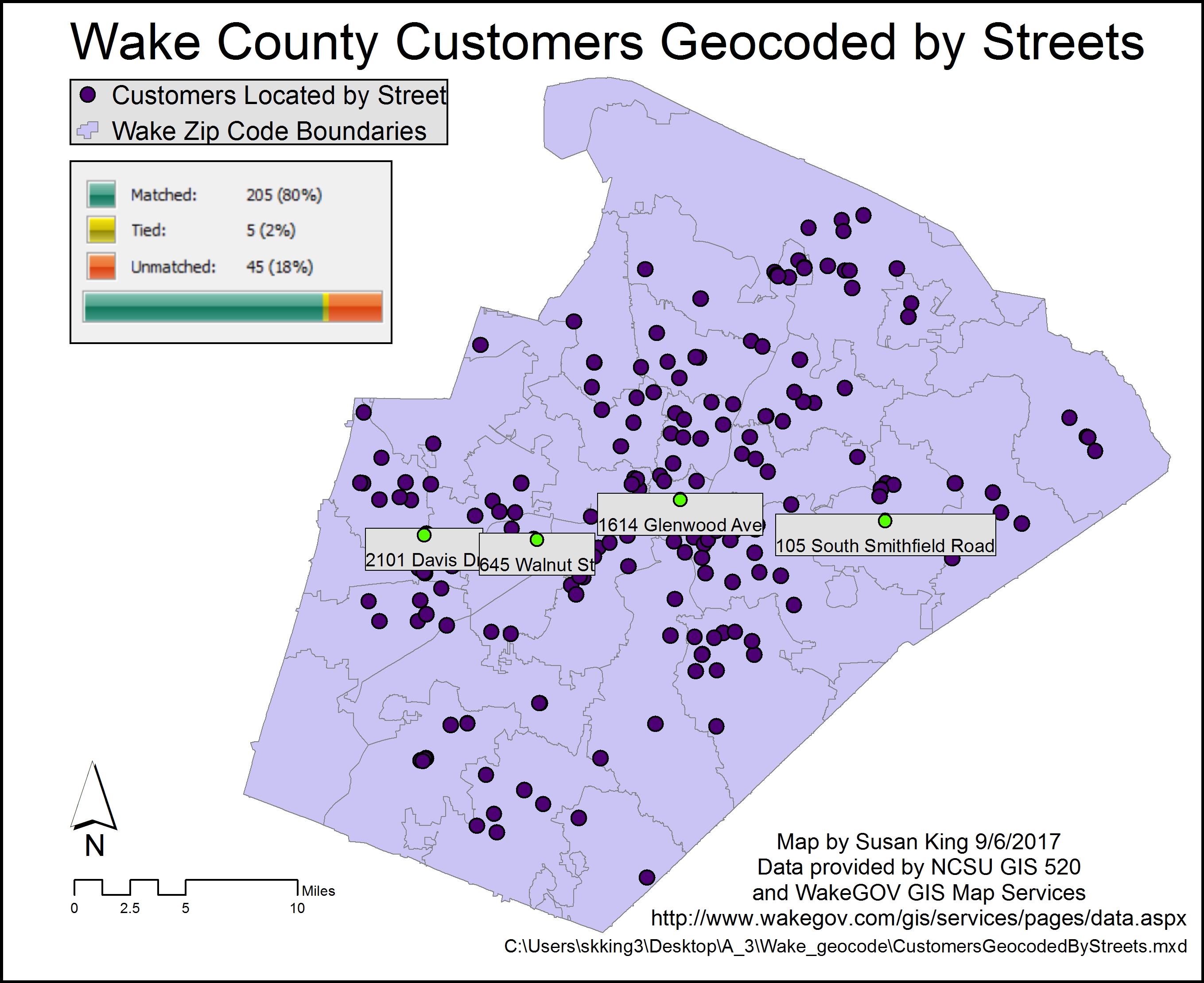
Fig. 2. Results of the geocoding, highlighting the different results based on the technique used. Click on image to view larger version.
Application and Reflection: Geocoding offers a method to locate points spatially given descriptive information, such as city, ZIP Code, or addresses. It is possible for a wildlife biologist to use this method to locate points where museum specimen were collected given their city or locality of origin using the General-Gazetteer address locator style. However, in this exercise we learned how to use addresses to display this information. Many businesses keep address information and may need to locate customers or clients. In keeping with the theme of how a wildlife biologist may use address geocoding, consider the need to locate other wildlife biologists.
Problem description: The Wildlife Society is considering where to locate its next annual conference and they want as many new members to participate in the conference as possible. You are to create a map of where new society members are so that host city can be chosen for the next conference.
Data needed: As a member of The Wildlife Society, you have access to the membership directory, which lists the address of each individual and the number of years each has been a member.
Analysis procedures: You would begin by filtering the data for the members who joined within the previous three years. This can be performed in ArcMap using the Select by Attribute function. You can obtain streets information from the US Census Bureau TIGER lines/shapefiles to use as a reference layer. Next, you would create an address locator using the US Address-Dual Ranges style using ArcCatalog. Finally, you would run a batch geocoding process. If possible, you could then manually recode the unmatched addresses. The results can be presented in map layout to aid in the decision-making process for where to locate the upcoming conference.
 skgis520.com